Your money,
logs itself.
Talk, snap a receipt, or just type. Budget AI records every expense, sorts it into the right category, and shows you where your money goes.
Free to download · No bank connection needed
One assistant for
every dollar.
Just say it.
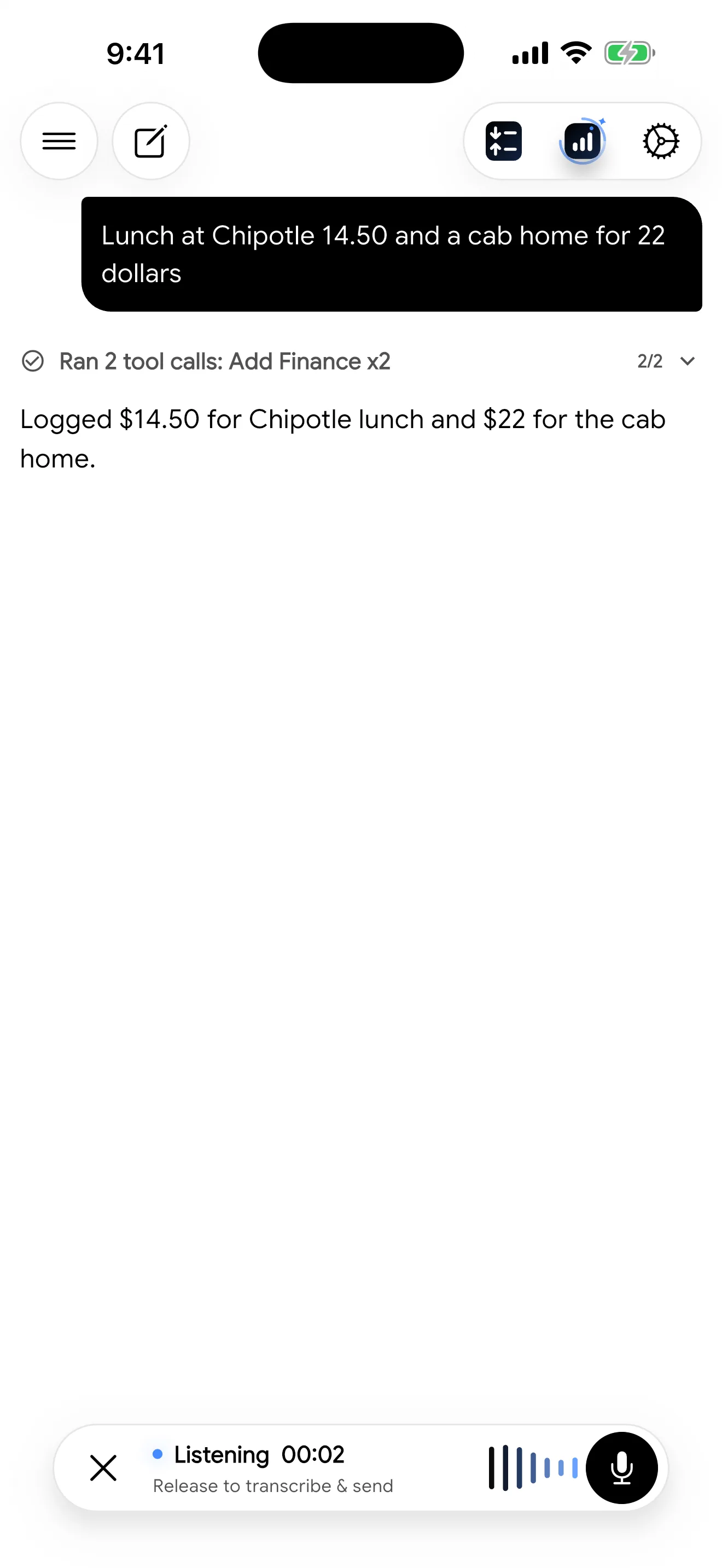
Hold the mic and speak naturally: "Lunch at Chipotle 14.50 and a cab home for 22 dollars." Budget AI transcribes it, splits it into entries, and logs each one.
- Starts the moment you press
- Several expenses in one sentence
- Cancel any time before it sends
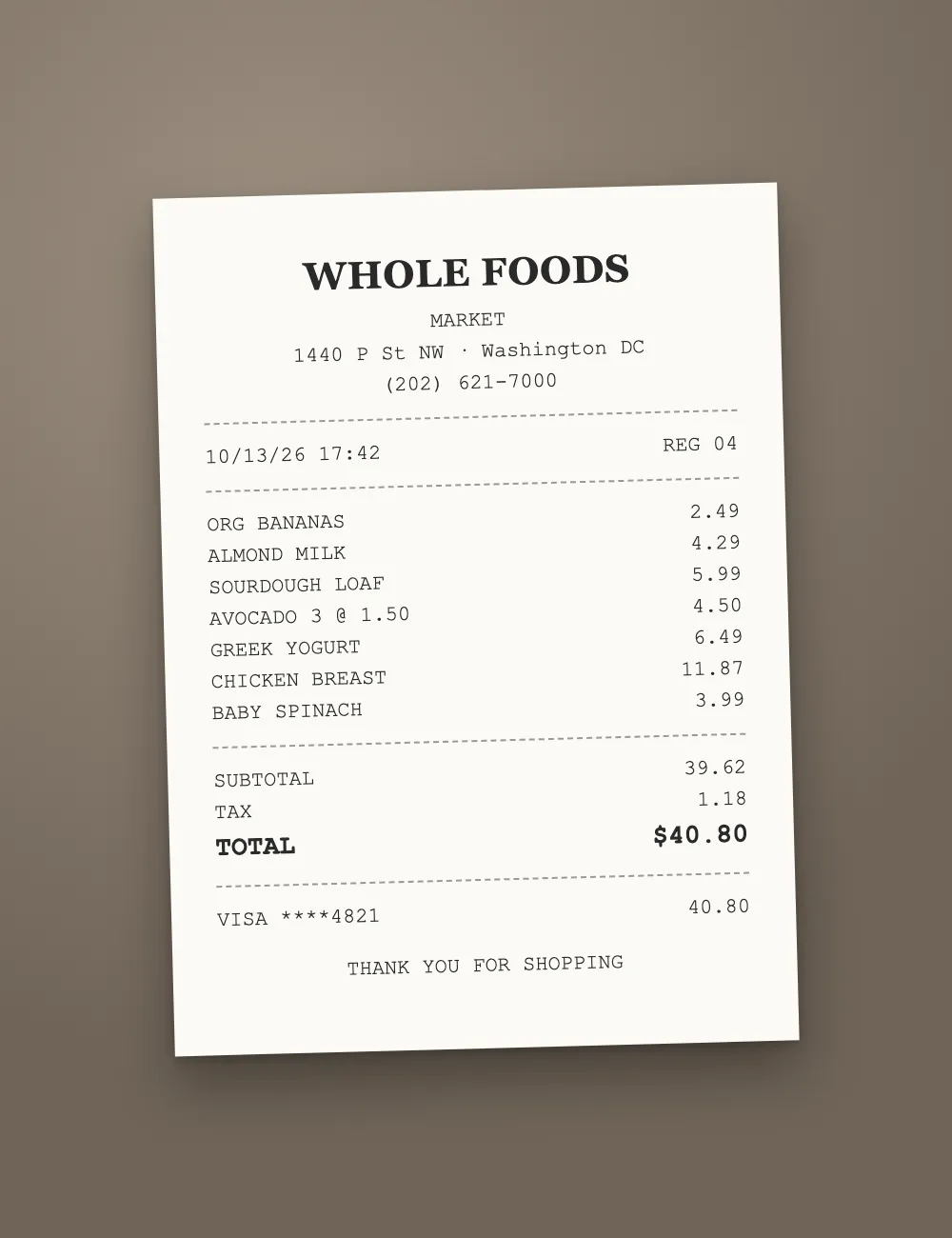
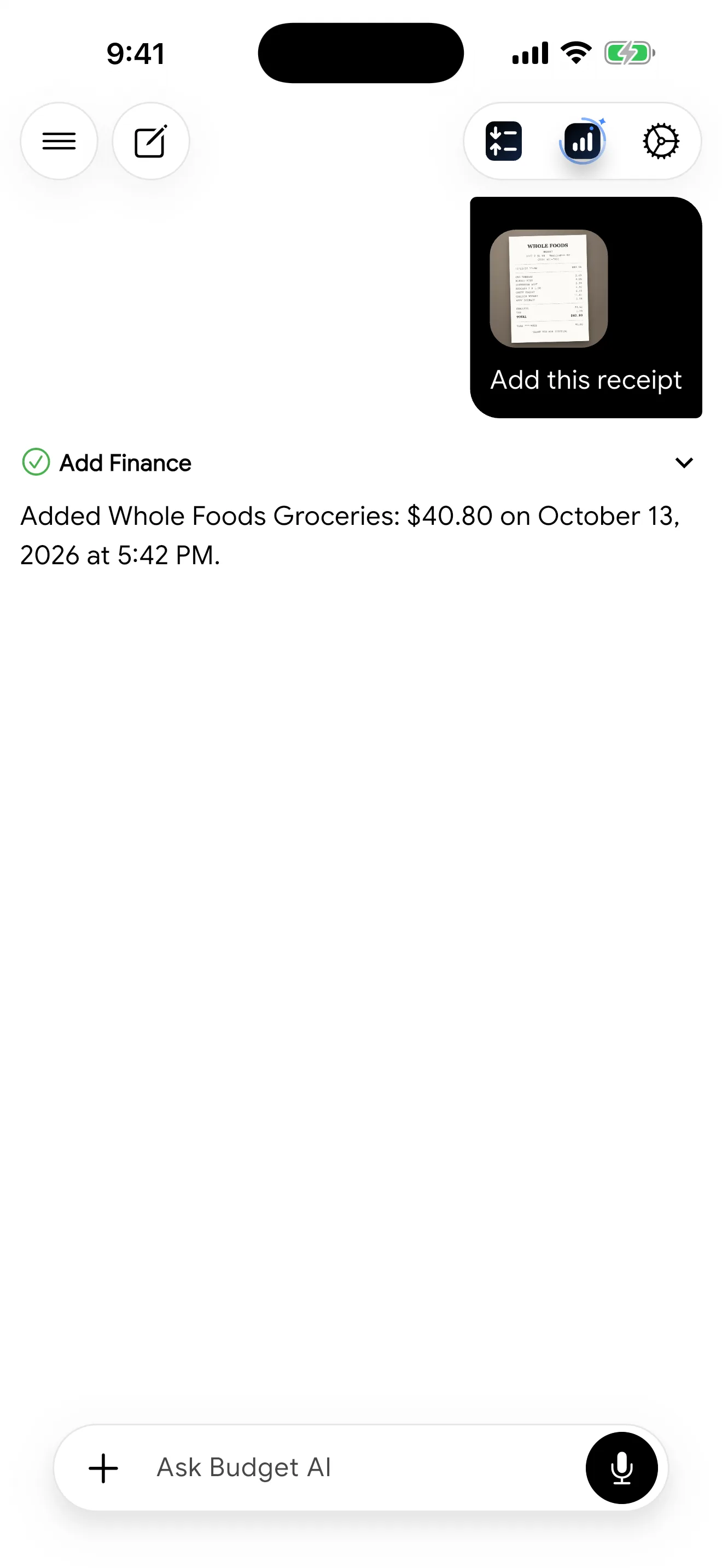
Snap any receipt.
Take a photo or pick one from your gallery. Budget AI reads every line, logs the total once, and can break down each item on request.
- Camera or photo library
- Totals are never counted twice
- Asks when something is unclear
Sorted for you.
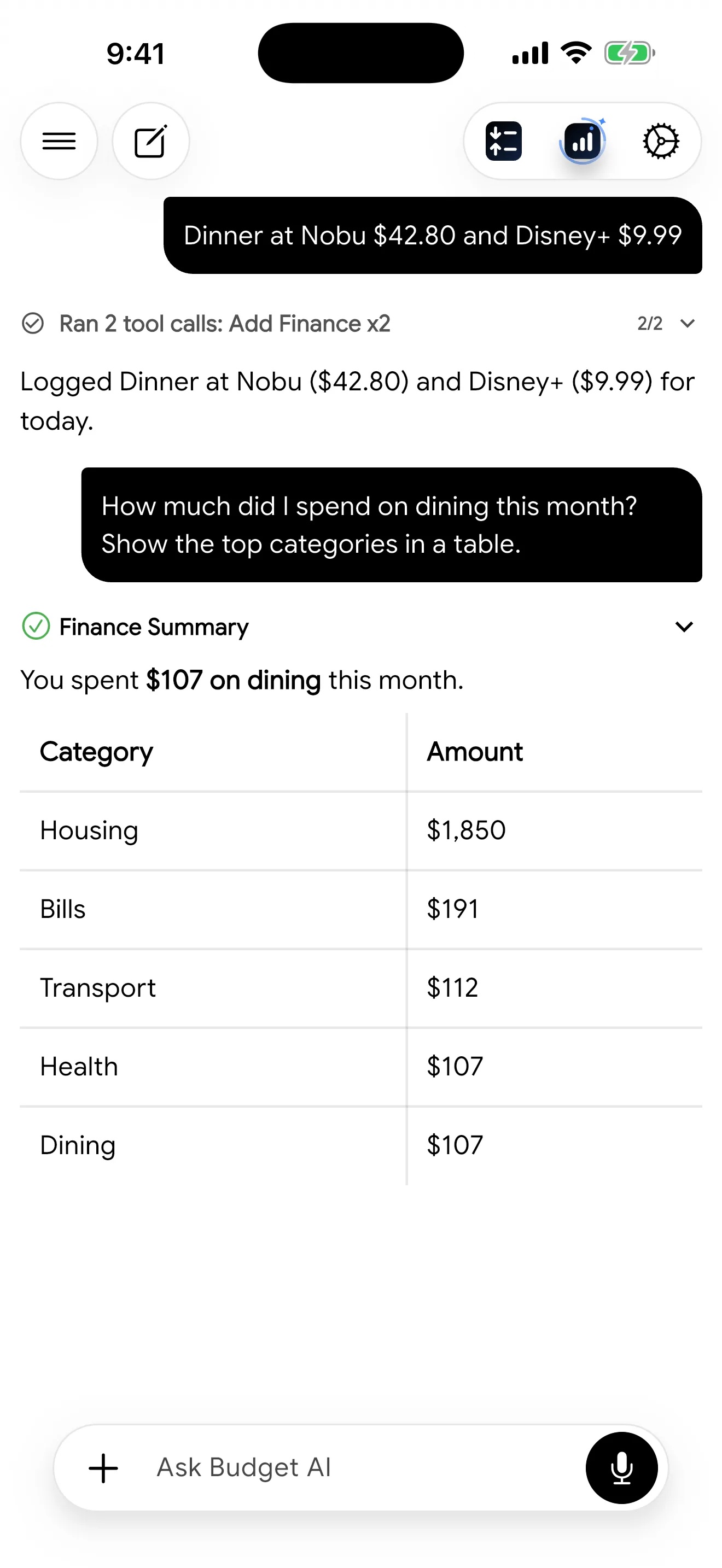
Every entry lands in the right category automatically, so your reports make sense without any manual tagging. Ask anything, like "How much did I spend on dining this month?"
Every dollar, tracked.
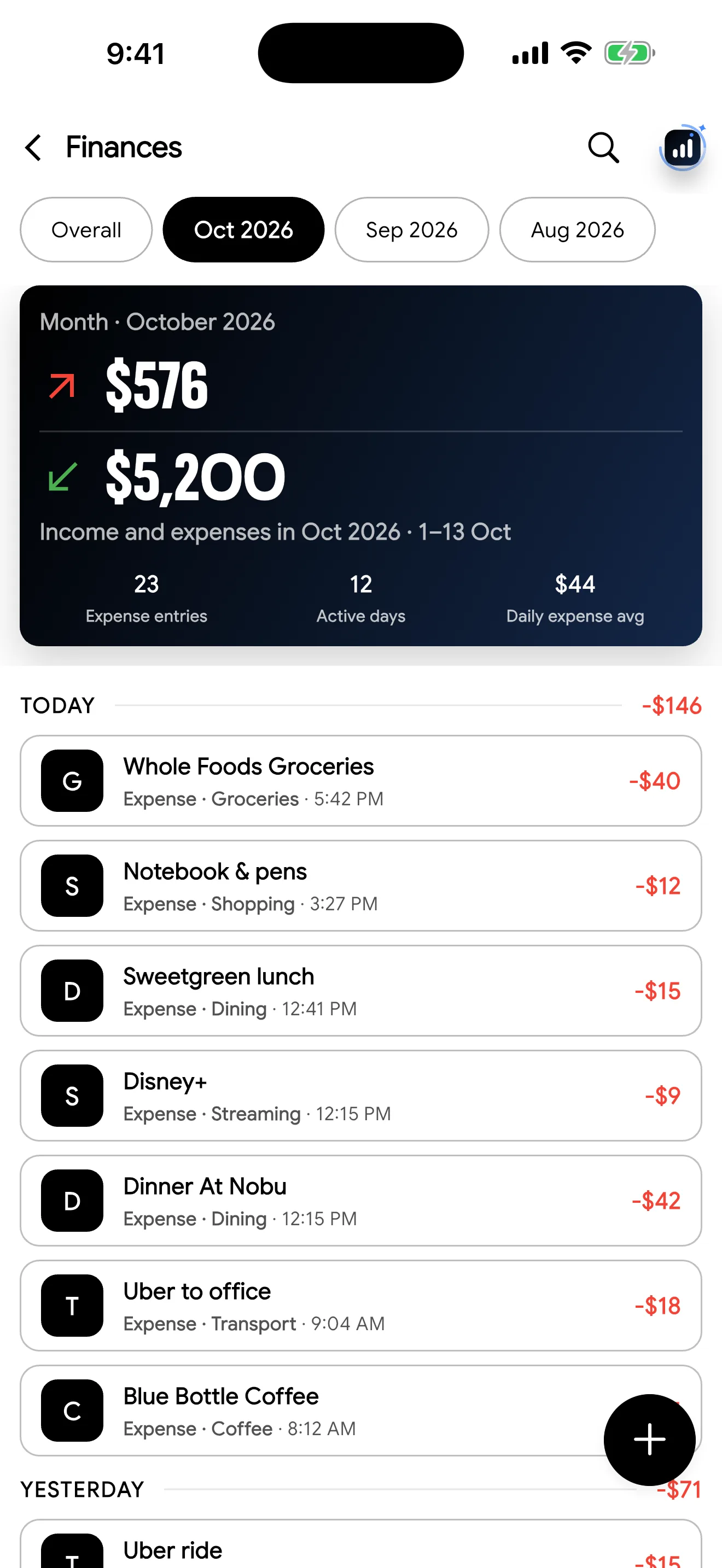
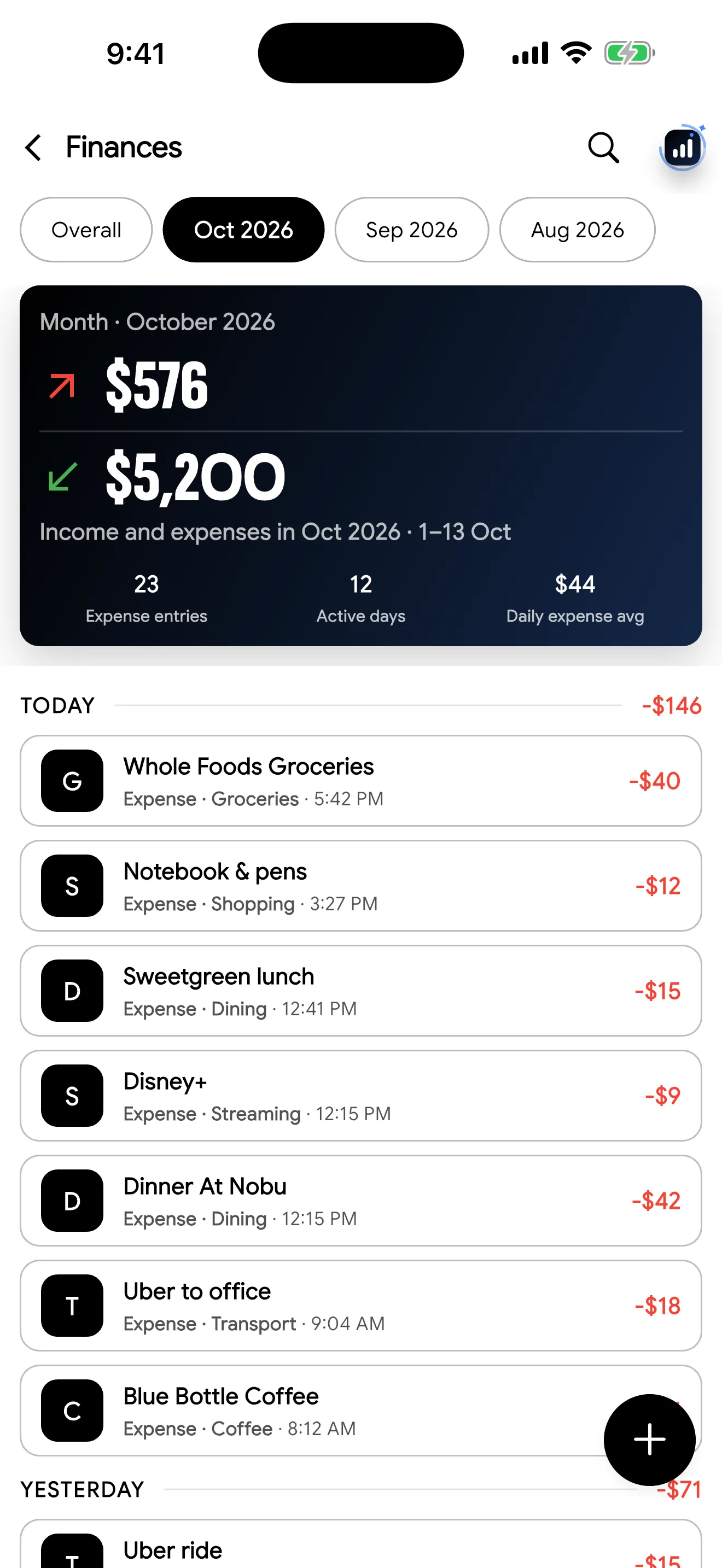
Income in green, spending in red, grouped by day. Search everything, switch months in one tap, and add or edit entries by hand whenever you like.
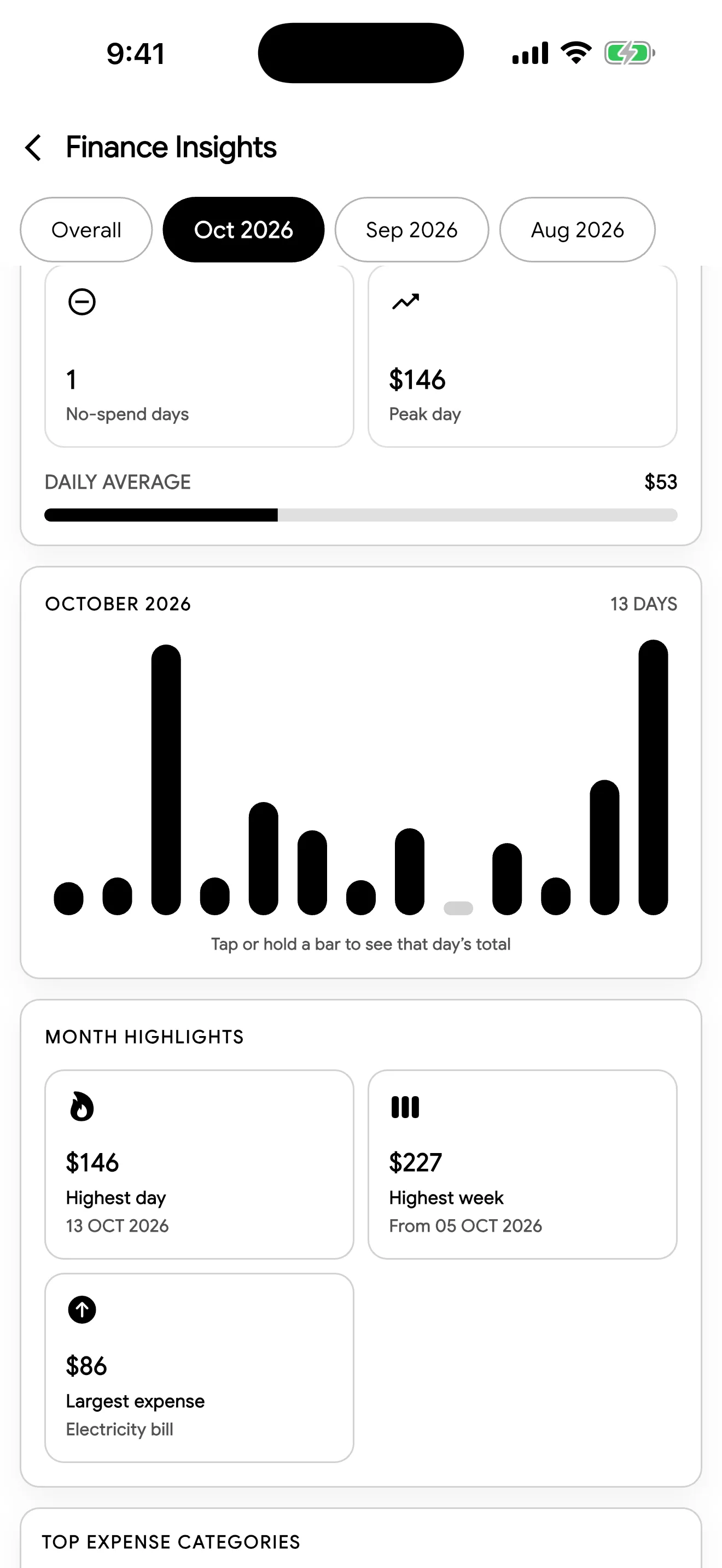
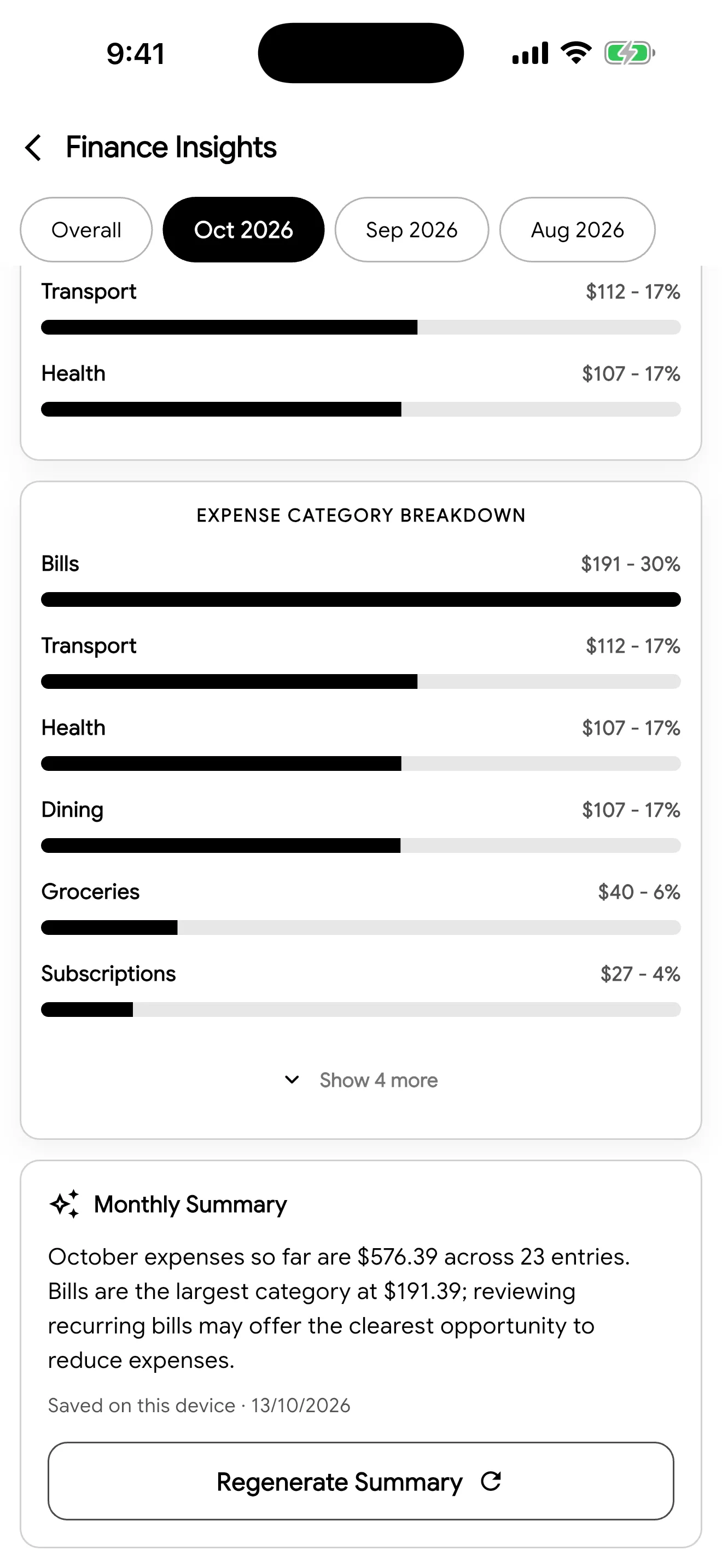
See where it goes.
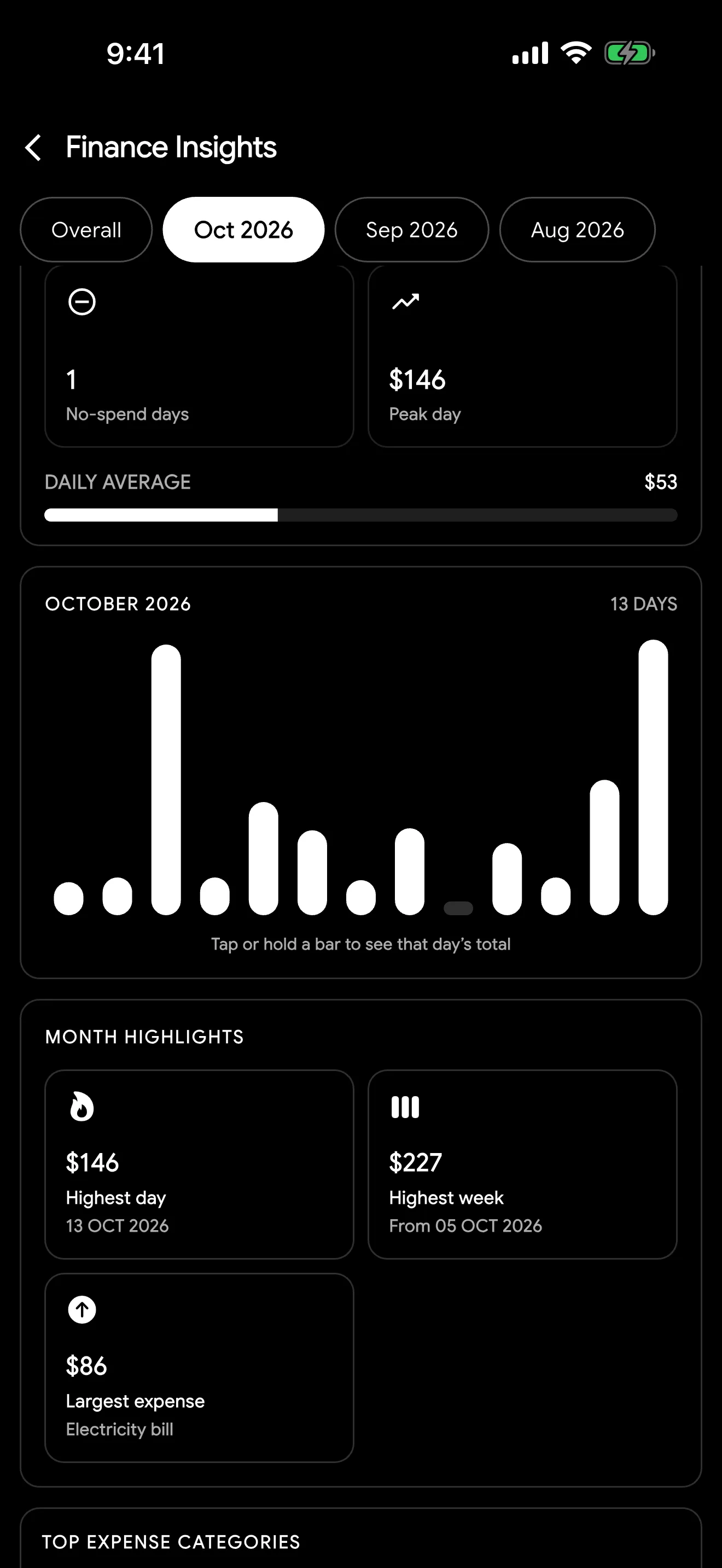
Daily charts, top categories, highlights like your biggest day, and a one-tap AI summary of every month in plain words.
Glance,
don't open.
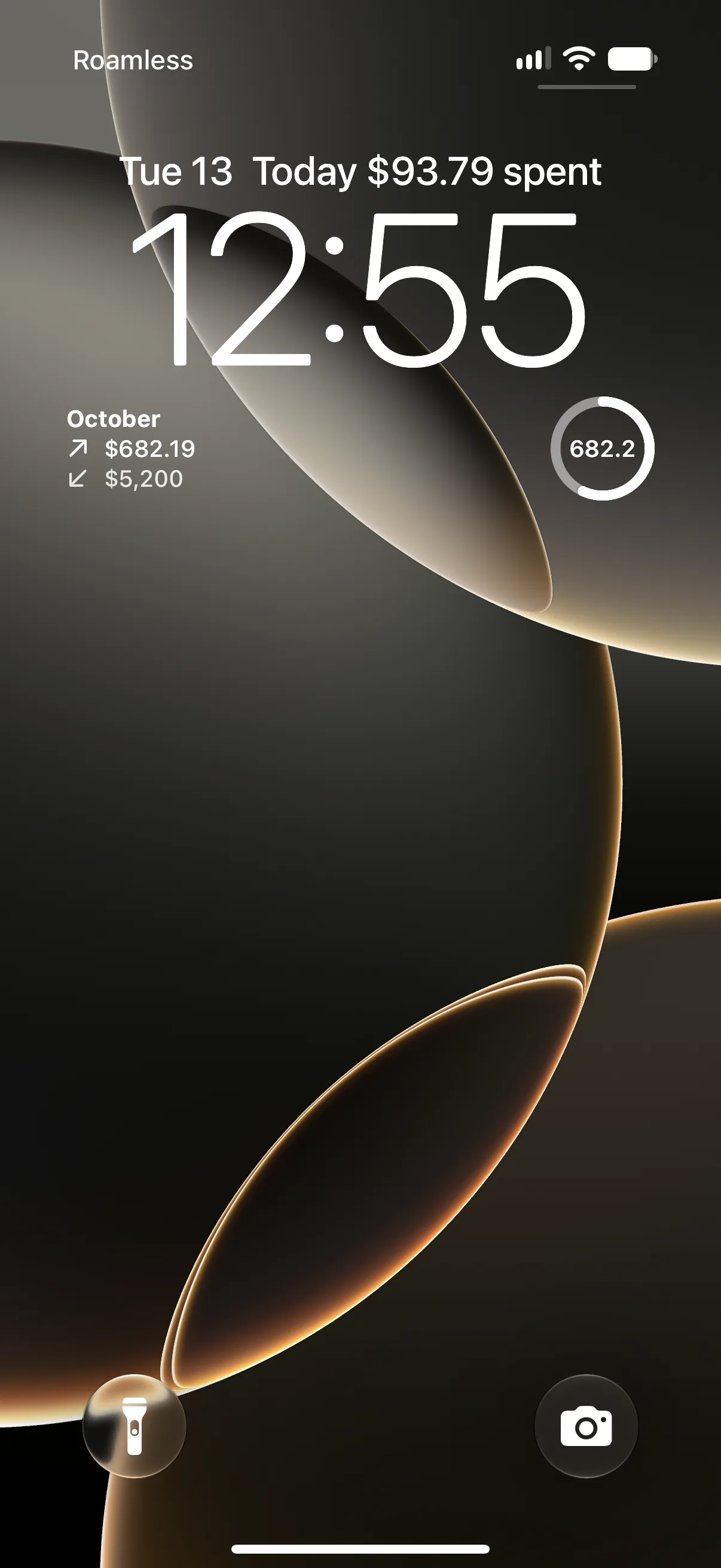
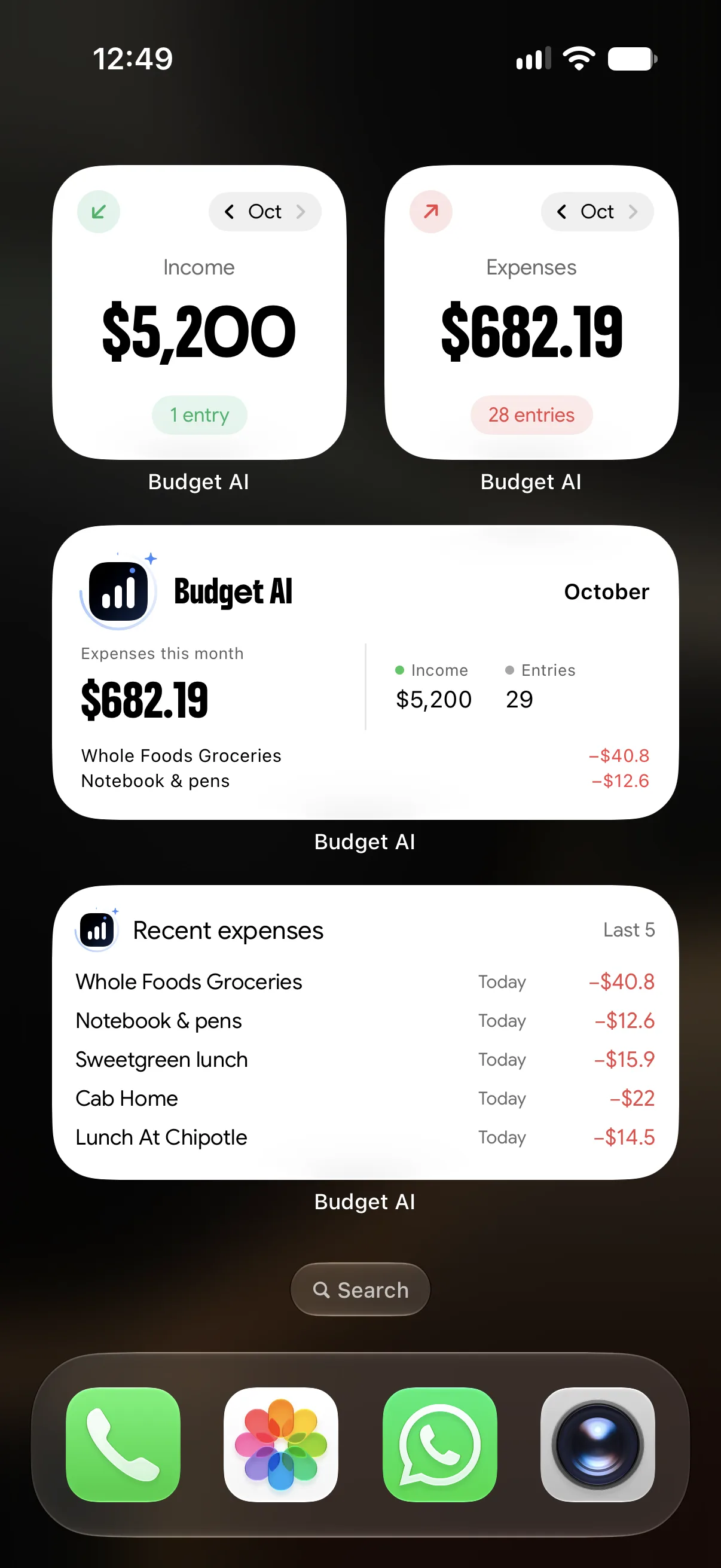
Eight Home Screen widgets, plus Lock Screen widgets on iPhone. Switch months right on the widget, and tap any expense to jump straight to it.
- Budget AI summary
- Expenses
- Income
- Income & Expenses
- Recent expenses
- Today's spending
- This month vs last
- Top categories
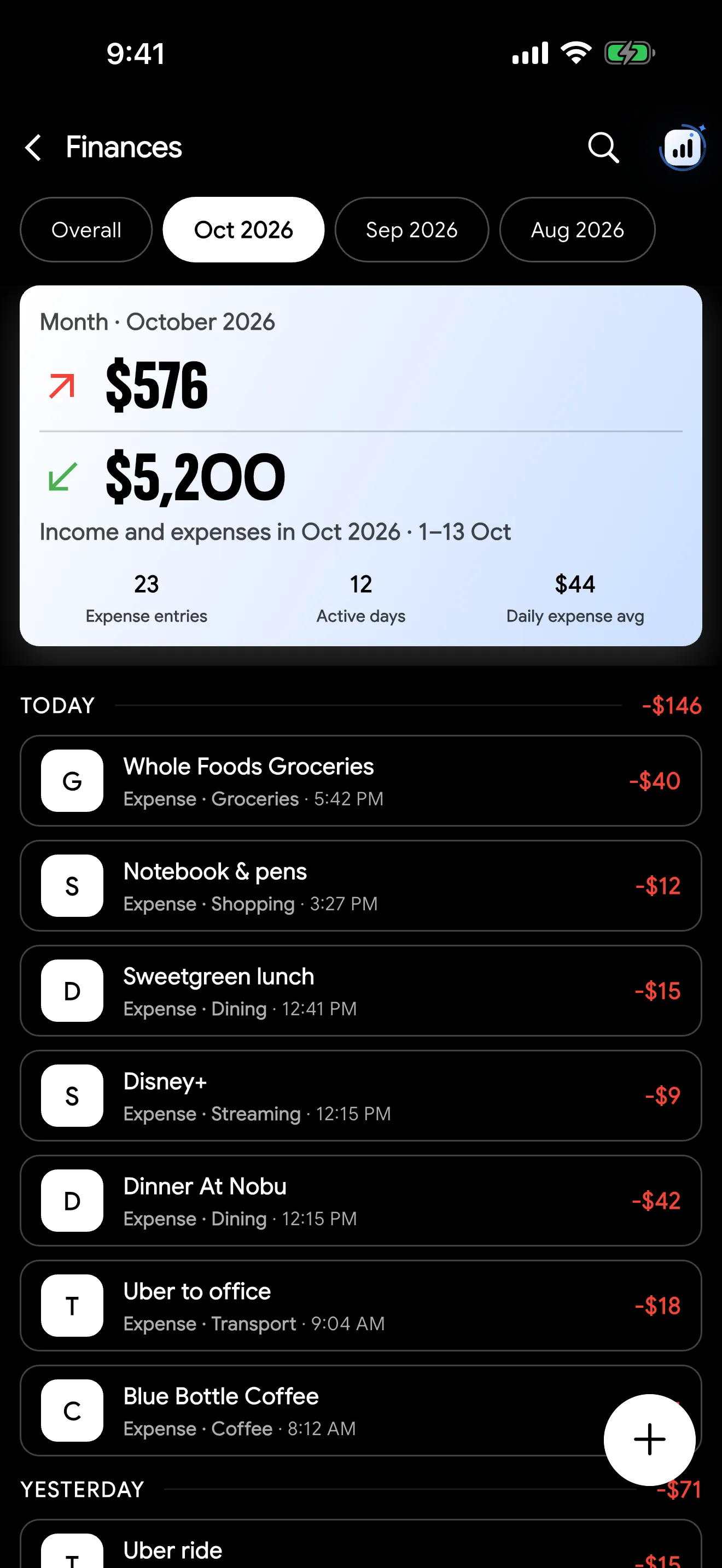
Light or dark.
Budget AI follows your phone's appearance. Drag to compare.
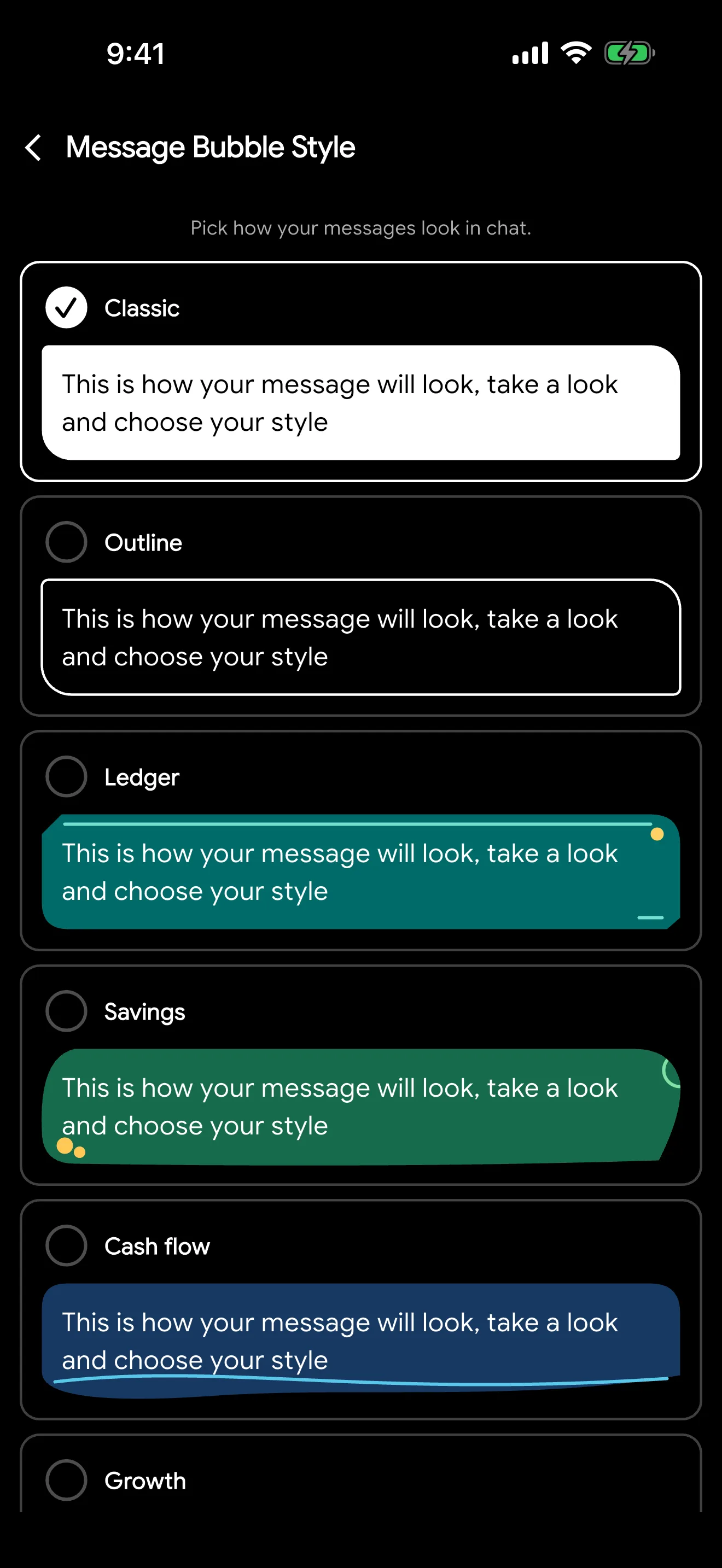
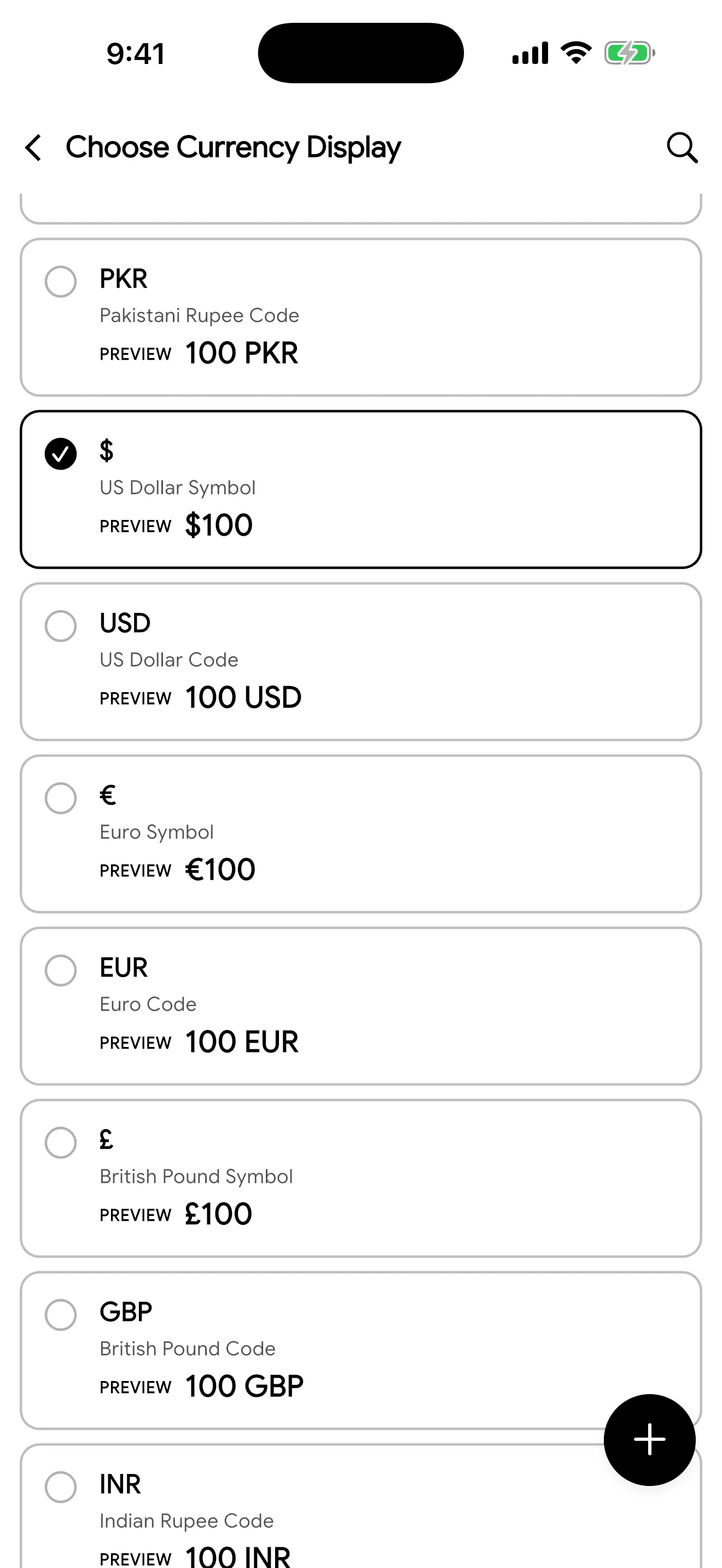
Make it yours with bubble styles and any currency.
Private by design.
Your finances are personal. Budget AI collects only what it needs and keeps your conversations on your phone.
No ads, no tracking
No advertising and no third-party analytics, ever.
Never sold
Your data is never sold or rented to anyone.
Chats stay local
Conversations, images and AI summaries live only on your device.
AI only with consent
Nothing goes to OpenAI until you agree, and only what is needed to answer.
Protected sync
Entries sync over HTTPS, and only your account can read them.
Delete any time
Remove entries, chats, or your whole account in a few taps.
Does Budget AI connect to my bank?
No. You stay in control of what is logged: type it, say it, or snap a receipt, and Budget AI records it for you. Nothing is pulled from your bank.
Which AI does it use?
Budget AI uses OpenAI models through our own secure server. The app asks for your agreement before your first AI request, and nothing is sent until you agree.
Is my data sold or used for ads?
Never. There are no ads, no third-party analytics, and your data is not used by us to train AI models. Your chat history stays on your device.
Does it work with my currency?
Yes. Pick from common currencies or create your own display, like $, Rs, € or PKR, and every amount follows it.
Is Budget AI financial advice?
No. Budget AI helps you track and understand your spending. Its answers and summaries are for information only.
How do I delete my account?
In the app, open Budget Hub → Danger Zone → Delete Account. You can also request deletion from our website without the app.
Start logging
in seconds.
Download Budget AI and let your next expense log itself.